Dolphin Sigma
$2999 $2349 SALE Save $650
Temporarily out of stock


By feature
Top pick: Dolphin Sigma
$2349 today · Free shipping
None of these robots comes with a handheld remote, so remote control means a phone app, and two of the Dolphins compared here have one worth choosing between.
The short answer
No robot in this guide ships with a handheld remote; control from a distance is done in an app. The Dolphin Sigma has the fullest version: myDolphin Plus over Wi-Fi and Bluetooth, scheduling by day and time, filter alerts and Siri voice control. The Quantum offers myDolphin Plus over Wi-Fi with start, stop, scheduling, cleaning modes and alerts at a lower price.
On the five Dolphins compared here, the handheld remote has given way to the phone. If you are searching for the best robotic pool cleaner with remote control, the first thing to know is that none of the five robots compared here includes a handheld remote, and we do not claim joystick-style steering for any of them. We would rather you read that here than discover it at the pool.
What two of them do offer is remote command: starting and stopping a cycle, setting a schedule and receiving alerts without walking to the power supply. For most owners that is what a remote was for in the first place. The Sigma and Quantum have it. The other three are operated at the power supply. Below, we separate what app control does well from what it does not.
The ranking
$2999 $2349 SALE Save $650
Temporarily out of stock
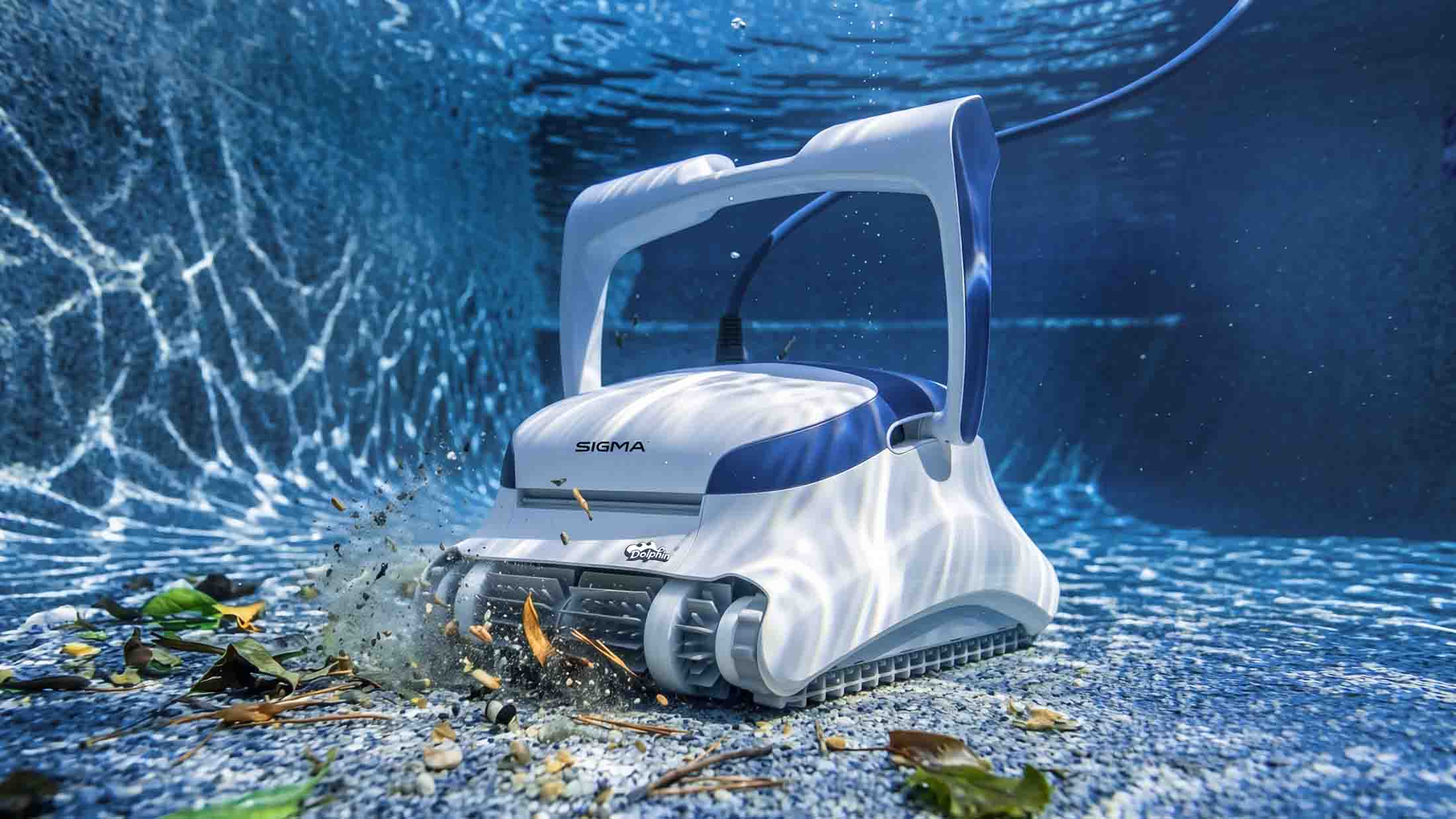
Wi-Fi, Bluetooth and Siri voice control
The Sigma gives you the most ways to command a robot without touching it. The myDolphin Plus app connects over both Wi-Fi and Bluetooth, so a weak Wi-Fi signal out by the pool does not leave you without a link when you are standing nearby. The weekly scheduler works by day and time, not by a fixed interval, which lets you fit cycles around how the pool is used. A filter alert arrives in the app, and Siri voice control means a cycle can start with a sentence.
Behind the software sits the strongest hardware in this guide: three commercial-grade ProLine motors, quad scrubbing brushes, SmartNav 3.0 with a gyroscope, and a 3-year warranty.

$1799 $1599 SALE Save $200
Temporarily out of stock
App start, stop, modes and schedules
The Quantum covers the remote-control essentials for less. Its myDolphin Plus app works over Wi-Fi and lets you start and stop the robot, set a schedule, choose cleaning modes and receive alerts. Cleaning modes are a form of control worth having: you decide what kind of cycle the robot runs instead of accepting one program. It also keeps a weekly timer on the power supply, so automatic cleaning does not depend on the phone at all.
The robot itself is strong value: a 2-hour cycle over floor, walls, waterline, sun shelves, Baja ledges and stairs, an XXL MaxBin basket and dual HyperBrush rollers, on the lowest-priced 50 ft robot in this guide.
The criteria
The basic remote function: begin a cycle from the house, or stop one because guests have arrived. The app on both picks does this. It sounds minor until the power supply is at the far end of the yard.
A schedule is remote control across time. The Sigma's weekly scheduler sets cycles by day and time in the app. The Quantum schedules in the app too, and also has a weekly timer on its power supply for every day, every 2 days or every 3 days.
Wi-Fi links the robot's power supply to your home network, so its reach is your network's reach at the pool. Bluetooth links the phone directly at short range. The Sigma has both; the Quantum is Wi-Fi. Check the signal where the power supply will sit.
Remote control runs both ways. An app that tells you the filter needs attention saves a trip to look. The Sigma sends a filter alert in the app, and the Quantum's app includes alerts as well.
Driving the robot by hand is the feature people picture and the one they would use least: mainly to send it to one dirty spot. We do not claim joystick steering for either pick. If that function is essential to you, ask us before buying.
On paper
| Specification | Dolphin Sigma | Dolphin Quantum |
|---|---|---|
| Price today | $2349 | $1599 |
| Cleans | Floor, walls and waterline | Floor, walls, waterline, sun shelves and stairs |
| Scheduling | Weekly scheduler by day and time | Weekly timer: every day, every 2 days or every 3 days |
| App | myDolphin Plus (Wi-Fi and Bluetooth) | myDolphin Plus (Wi-Fi) |
| Filtration | NanoFilters and standard filter cartridges | XXL MaxBin basket with standard and NanoFilter panels |
| Brushes | Quad scrubbing brushes | Dual HyperBrush |
| Navigation | SmartNav 3.0 with gyroscope | SmartNav 2.0 |
| Cable | 55 ft with 360° anti-tangle swivel | 55 ft with anti-tangle swivel |
| Warranty | 3 years | 2 years |
The Premier, Cayman and Escape have no app and no wireless control of any kind. That is not the same as being hard to live with. The Premier has a weekly timer on its power supply, with settings for every day, every 2 days or every 3 days, and a full-filter indicator beside it. The Cayman's timer runs every day only, one setting. As standard the Escape has no timer at all; one comes only with the optional Automation Timer power supply.
If what you want from a remote is simply a pool that cleans itself on a rhythm, a power-supply timer does that with nothing to pair, update or log in to. These three are not picks here because the page is about control from a distance, and they have none.
Manual steering sounds like the heart of remote control. In practice it has one main use: sending the robot to a single patch, a pile of leaves in a corner or dirt tracked in by the steps, without running a full cycle. A robot with good navigation makes even that occasional, because a normal cycle reaches the patch anyway. The functions you will use every week are different ones. Decide which of these you are really shopping for:
An app is only as good as its connection. Radio signals do not carry through water, so the link is made at the power supply on the deck, which usually sits near an outdoor outlet and often on the far side of the house from the router. Check your phone's Wi-Fi at that spot before ordering. If it is weak, a mesh node or extender near the pool solves it, and the Sigma's Bluetooth gives a direct link at close range in the meantime.
Remember what an app cannot do. It will not lift the robot out, empty the filter or balance the water. Plan to take the robot out at least weekly to rinse the filter, and before shocking the pool.
Owners ask
No. None of the five Dolphins compared here ships with one. On the Sigma and Quantum, remote control is done in the myDolphin Plus app on your phone. A robotic pool cleaner with remote control, in current terms, is one with an app, and those are the two we recommend for it.
We do not claim joystick-style steering for the Sigma or the Quantum, so do not buy either on that expectation. Their apps handle starting, stopping and scheduling, and on the Quantum, choosing cleaning modes. Manual driving is mostly useful for spot-cleaning one area, and a full cycle normally reaches that spot anyway.
Both apps connect over Wi-Fi through your home network. Whether you can reach the robot from outside that network depends on the app's current features and your setup, so we will not promise it here; ask us for the current position. A schedule, once set, is designed to run without you opening the app each time.
Wi-Fi connects the robot's power supply to your home network, so the phone talks to it through the router. Bluetooth connects phone and power supply directly, at short range, with no network needed. The Sigma offers both. The Quantum is described with Wi-Fi alone, so we do not claim Bluetooth for it.
It lets you give the robot commands by voice through an Apple device instead of opening the app. It is a convenience layered on the app, not a separate control system, and the commands available depend on the current app version. The scheduler remains the feature that does most of the work.
For many pools, yes. A power-supply timer runs cycles automatically with no phone involved. The Quantum has both a timer and an app, so you can ignore the app entirely. Robots controlled only at the power supply are not picks on this page, but they are sound choices for owners who want no screen at all.
The verdict
If remote means commanding and scheduling the robot from your phone, with alerts coming back, both picks do it. Choose the Sigma when you want day-and-time scheduling, Bluetooth as well as Wi-Fi, Siri, and the strongest cleaning hardware in the guide. Choose the Quantum when start, stop, modes and schedules over Wi-Fi are enough and the price matters. If remote means a joystick, no Dolphin here promises one. If it means a pool that cleans itself, a timer may be all you need.
Keep reading