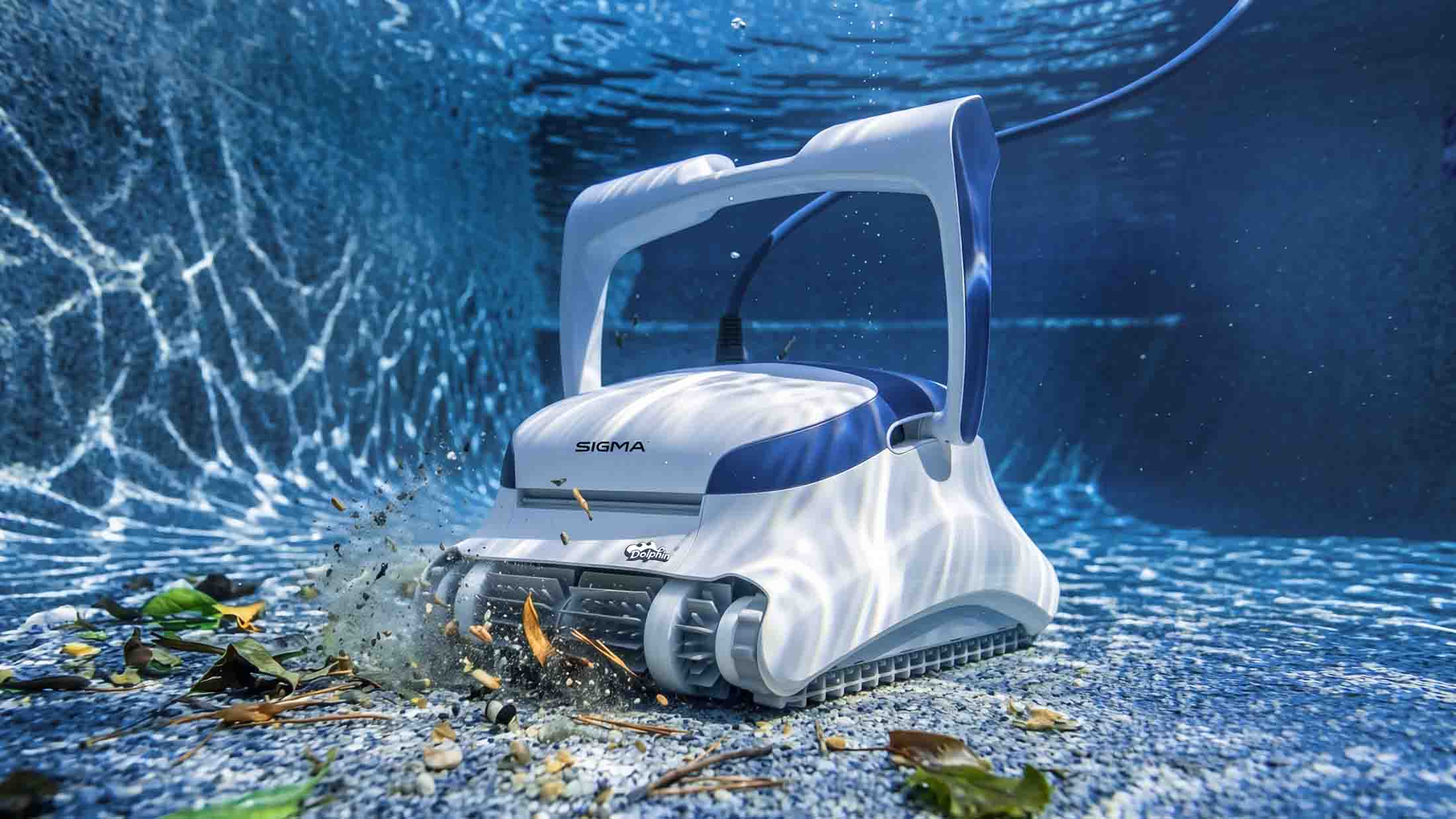
Dolphin Sigma
$2999 $2349 SALE Save $650
Temporarily out of stock


By feature
Top pick: Dolphin Sigma
$2349 today · Free shipping
A repeat timer says how often. A schedule says when. Here is which Dolphin gives you which, and the three situations where the hour matters.
The short answer
The Dolphin Sigma is the best robotic pool cleaner with automatic scheduling in this guide: a weekly scheduler by day and time in the myDolphin Plus app, over Wi-Fi and Bluetooth. The Dolphin Quantum is the runner-up, with app scheduling over Wi-Fi backed by a three-preset timer on the power supply. The Dolphin Premier repeats on a preset interval and the Dolphin Cayman runs every day; neither needs a phone.
Automatic scheduling is a step past a timer. A timer repeats: every day, or every second or third day. A schedule lets you decide that the robot runs on Tuesday and Friday at two in the morning, and holds to it. If all you want is a clean floor, either will do. A robotic pool cleaner with automatic scheduling is for the owner whose pool has a routine the robot must fit around.
That routine usually comes from three things: when people swim, when the pool service comes, and when the pump runs. Each one makes a particular hour better than the rest. The picks below are ranked by how precisely they let you choose that hour, and by what they ask of you to do it.
The ranking
$2999 $2349 SALE Save $650
Temporarily out of stock
Schedules by day and by hour
The Sigma's weekly scheduler is the most exact in this guide. In myDolphin Plus you set which days it cleans and when each cycle starts, over Wi-Fi from indoors or over Bluetooth while standing at the pool. That precision is what makes the useful cases possible: a 2.5-hour cycle placed overnight, on the day after a service visit, or inside the pump's off hours.
A filter alert in the app closes the loop, and Siri voice control is built in. Behind the software are three commercial-grade ProLine motors and quad scrubbing brushes.

$1799 $1599 SALE Save $200
Temporarily out of stock
App schedule with a timer as backup
The Quantum ranks second because it schedules two ways. The myDolphin Plus app, over Wi-Fi, handles scheduling along with start, stop, cleaning modes and alerts. The power supply carries its own weekly timer with three presets: every day, every 2 days or every 3 days. If the Wi-Fi at the equipment pad is unreliable, or a house-sitter is in charge, the timer keeps the pool on a rhythm.
Cycles are 2 hours, the shortest of the three 50 ft robots, which makes it the easiest to fit into a tight window. It is also the lowest-priced 50 ft robot here; check the live price on the card.

$2499 $1949 SALE Save $550
Temporarily out of stock
Repeat timer, nothing to connect
The Premier is third on a scheduling page for one reason: its timer repeats, it does not schedule. The choices are every day, every 2 days or every 3 days, set on the power supply. You do not pick weekdays or a clock time.
What you get in return is a timer that cannot lose a connection, on a robot with dual commercial-grade ProLine motors, a 3-hour cycle over floor, walls and waterline, and Multi-Media filtration. If your pool has no routine to work around, an interval is all the scheduling it needs.

$1299 $1049 SALE Save $250
Temporarily out of stock
Daily, automatic, no choices
The Cayman automates one pattern: every day. Its timer is set on the power supply and has no other setting and no clock to program. For a pool up to 33 ft, in-ground or above-ground, a daily 2-hour cycle of floor and walls answers the scheduling question by removing it.
One HyperBrush, dual 24-volt DC motors and a MaxBin basket that empties through a top hatch do the work. At 14.6 lb it is also the easiest pick to lift out when chemicals go in.
The criteria
The first question is precision. Can you name weekdays and a start time, or only a repeat interval? The Sigma offers days and times. The Quantum schedules in its app and also has interval presets. The Premier offers intervals. The Cayman runs daily.
App schedules are set from a phone, and Wi-Fi has to reach the power supply. The Sigma also connects by Bluetooth for changes made at the pool. Power-supply timers need neither, and that independence is worth something.
A scheduled robot waits in the water. It is made for that between cycles, but it has to come out before chemicals go in, and the filter still has to be emptied by hand.
A schedule you cannot see needs a way to report. The Sigma reports a full filter through its app, and the Quantum's app carries alerts of its own. The Premier shows a full-filter indicator on the power supply, which you have to walk past to notice.
On paper
| Specification | Dolphin Sigma | Dolphin Quantum | Dolphin Premier | Dolphin Cayman |
|---|---|---|---|---|
| Price today | $2349 | $1599 | $1949 | $1049 |
| Cleans | Floor, walls and waterline | Floor, walls, waterline, sun shelves and stairs | Floor, walls and waterline | Floor and walls |
| Scheduling | Weekly scheduler by day and time | Weekly timer: every day, every 2 days or every 3 days | Weekly timer: every day, every 2 days or every 3 days | Timer: every day |
| App | myDolphin Plus (Wi-Fi and Bluetooth) | myDolphin Plus (Wi-Fi) | No app; controls on the power supply | No app; controls on the power supply |
| Filtration | NanoFilters and standard filter cartridges | XXL MaxBin basket with standard and NanoFilter panels | Multi-Media: NanoFilters, oversized leaf bag and standard fine filters | MaxBin basket with fine panels; NanoFilter panels optional |
| Brushes | Quad scrubbing brushes | Dual HyperBrush | Dual scrubbing brushes | HyperBrush |
| Navigation | SmartNav 3.0 with gyroscope | SmartNav 2.0 | SmartNav 2.0 | SmartNav 2.0 |
| Cable | 55 ft with 360° anti-tangle swivel | 55 ft with anti-tangle swivel | 55 ft with 360° anti-tangle swivel | 50 ft |
| Warranty | 3 years | 2 years | 3 years | 2 years |
Most pools do not care when the robot runs. These three do.
An interval timer counts days. Every 2 days in a seven-day week means Monday, Wednesday, Friday, Sunday, then Tuesday, Thursday, Saturday: the cleaning day walks through the week. Every 3 days does the same on a longer stride. For general tidiness that is harmless. For a pool with a Thursday service visit, it means the robot sometimes cleans the day before the technician stirs everything up and sometimes the day after.
A calendar schedule does not drift. Tuesday and Friday stay Tuesday and Friday. The Escape sits outside the picks: it has no timer as standard, and its optional Automation Timer power supply repeats every 24, 48 or 72 hours.
It will not empty the filter. Every scheduled cycle adds to the load, so lift the robot out at least weekly to empty and rinse it, more often in leaf season. It will not skim the surface, balance the water or replace sanitizer. And it will not know that you shocked the pool this afternoon. Lift the robot out before any shock or chemical dose, and put it back only after the water tests normal. If the pool will sit unused for a long stretch, store the robot dry and out of direct sun instead of leaving the schedule running.
Owners ask
A timer repeats on an interval: every day, every 2 days or every 3 days. A schedule lets you choose particular days and a start time. Among the Dolphins in this guide, the Sigma schedules by day and time in its app, the Quantum offers app scheduling plus interval presets, and the Premier offers interval presets on the power supply.
When nobody is swimming and, ideally, when the pump is off. For most households that is overnight or early morning. With the pump off, fine debris settles to the floor and the jets are not moving the robot or its cable. Avoid the hours right after chemicals are added.
It depends on the robot. The Quantum's app needs Wi-Fi at the power supply, though its three-preset timer works with no network at all. The Sigma connects over Wi-Fi and Bluetooth, so you can set it from the poolside when the router is out of reach. The Premier and Cayman timers need no network.
It will keep starting cycles, and that is the problem as much as the benefit. Nobody is emptying the filter, so by the second week it may be cleaning poorly. For a short trip, empty the filter the day you leave and cut the schedule to two or three cycles a week. For longer absences, ask someone to lift it out and rinse the filter weekly.
The verdict
Start with your pool's routine, not the robot's feature list. If there is a service day, set swim hours or a pump clock to work around, you need days and times: buy the Sigma, or the Quantum if price matters more than Bluetooth and brush count. If there is no routine, an interval is enough: the Premier for pools up to 50 ft, or the Cayman for a pool up to 33 ft that wants cleaning every day. In all four cases, schedule a filter day as well.
Keep reading